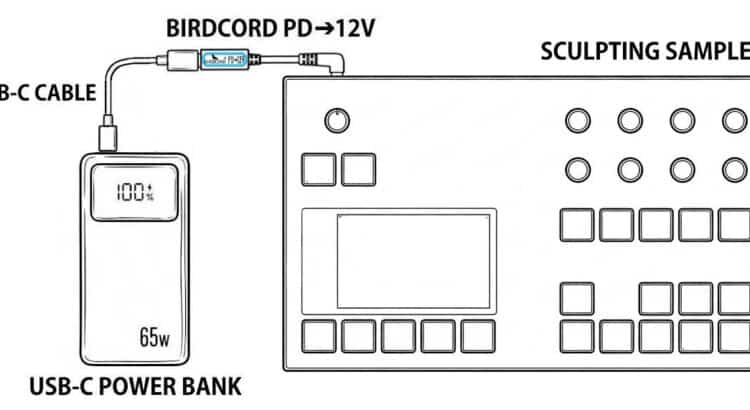
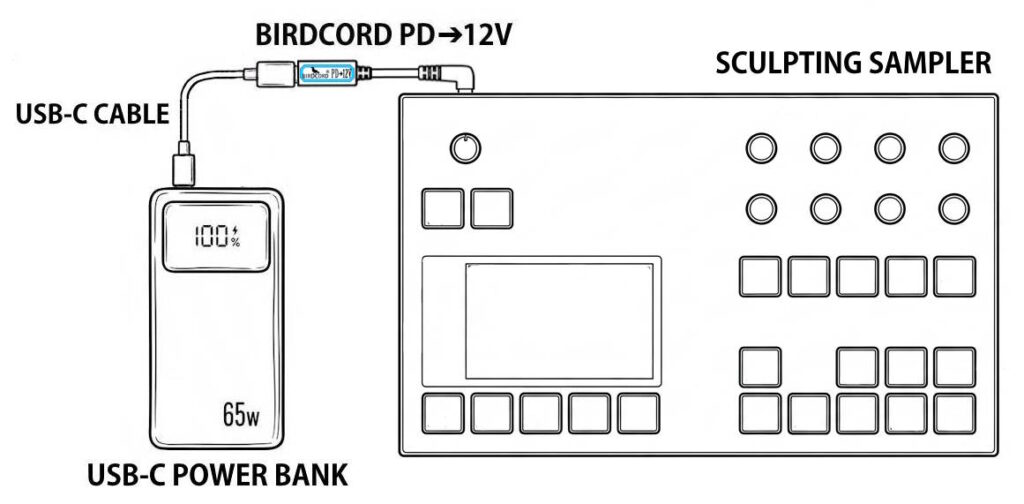
The Torso Electronics S4 Sculpting Sampler can run off a USB-C power bank using a Birdcord PD➔12V power cable. The setup diagram below shows how to connect the devices for portable operation without a mains power outlet, for example, when making music in the garden or while commuting by train.
Quick Facts: Torso Electronics S4 Mobile Setup
| Device | Torso Electronics S4 |
| Supply voltage | 12 V DC |
| Current draw | max. 1.5 A |
| Power consumption | max. 18 W |
| Connector | 5.5 x 2.5 mm |
| Polarity | Center positive |
| Power source | USB-C power bank* |
| Compatible power converter | Birdcord PD➔12V |
| Status | Tested and verified |
*Note: Requires a USB-C power bank with USB Power Delivery (PD) support and a 12V output profile. The power rating should be higher than the power consumption.
What You Need
✅ Birdcord PD➔12V – A compact USB-C power cable that requests 12 V output from a compatible USB-C power bank and delivers it to the Torso Electronics S4. View product
✅ USB-C Power Bank – A power bank that supports USB Power Delivery (PD) and a 12V output profile. A minimum rating of 36 W and 10,000 mAh is recommended. Recommended: INIU 65 W 20,000 mAh USB-C PD Power Bank
✅ USB-C cable – To connect the power bank to the Birdcord PD➔12V (usually included with the power bank). View product
How It Works
The Torso Electronics S4 requires a stable 12 V DC power supply. Since USB-C power banks don’t automatically provide the correct voltage, a Birdcord PD➔12V is needed to communicate with the power bank and request the right output voltage. The power bank then provides 12V DC, allowing the Torso Electronics S4 to run directly from a portable battery.
Simply connect the Birdcord PD➔12V to a compatible USB-C PD power bank and plug the DC connector into the Torso Electronics S4. The setup works exactly like using the original power adapter, but gives you the freedom to perform anywhere.
Frequently Asked Questions (FAQ)
How long can the Torso Electronics S4 run on a USB-C power bank?
A 20,000 mAh USB-C power bank will typically power the Torso Electronics S4 for more than 4 hours.
I already have a power bank. Will it work?
Yes, as long as it supports 12 V output. You can easily check this by looking at the technical specifications printed in small letters on your power bank. If you see an output listing like 12V⎓2A, 12V⎓3A (or anything similar), it is compatible and will work perfectly. If it only lists 5V, it is not compatible.
Can I power the Torso Electronics S4 directly from USB-C?
No. The Torso Electronics S4 requires 12 V DC power and cannot be powered directly from a standard USB-C output. A Birdcord PD➔12V is required to request the correct voltage from a compatible USB-C power bank.
How to choose a USB-C power bank for the Torso Electronics S4?
Choose a USB-C power bank with USB Power Delivery (PD) support and a 12 V output profile. Please note that not all USB PD power banks support 12 V output.
To check compatibility, look at the technical specifications of the power bank. The supported output voltages are usually listed as something like 5V⎓3A, 9V⎓3A, 12V⎓2.25A or similar. If 12V is listed as an output option, the power bank is compatible with the Birdcord PD➔12V.
A capacity of 10,000 mAh or higher and a power output of 36 W or higher are recommended for a reliable portable setup.


